Today’s Special

All-in-One Beauty Retouch bundle - master beauty retouching at a professional level.

Save $282→
Today’s Special

Beauty Retouch & MUA Retouch together at your service

Save $50+→
Today’s Special

All-in-One Beauty Retouch bundle - master beauty retouching at a professional level.

Save $282→
Today’s Special

Beauty, Skin & Hair Retouching for Beginners in a bundle

Save $181→
Skip to content
Testimonials
Newsletter
Contact Us
Customer Login
Retouching Academy
Home
Learn ▼
Your Course Library
Code of Professional Practice
Shop ▼
Retouching Courses & Bundles
Retouching Panels
Practice Files: Beauty
Blog
Home
Learn
Your Course Library
Code of Professional Practice
Shop
Retouching Courses & Bundles
Retouching Panels
Practice Files: Beauty
Blog
Testimonials
Newsletter
Contact Us
Sign In
RA Courses → Student Login
RA Panels → User Login
RA Affiliate Login
RA Courses → Student Login
RA Panels → User Login
RA Affiliate Login

Sign in

close


Lost your password?
No account yet? Create an Account
  • Home
  • Store
    • Courses & Bundles
    • Retouching Panels
    • Practice Files
  • Newsletter
  • Contact Us
  • Blog
  • Customer Login
    • Affiliate Login

Shopping cart

close
  • Instagram
  • YouTube
THE COMMERCIAL SIDE OF PHOTOGRAPHY & RETOUCHING
  • Testimonials
    • Submit Yours
  • Customer Login
    • Affiliate Login
  • Newsletter
  • Contact Us
  • Home
  • LEARN
    • YOUR COURSE LIBRARY
    • Code of Professional Practice
  • Shop
    • Retouching Courses & Bundles
    • Retouching Panels
    • Practice Files – Beauty
  • Blog
Retouching Academy Retouching Academy
close
Cart (o) 0 / $0.00 USD
Read More
01 Mar
Industry & Community News, Software for Retouching, Stay Inspired

Follow the New Capture One Dedication Campaign

  • January 22, 2025
  • Posted by Julia Kuzmenko McKim, RA Team
  • capture one, RA inspiration
  • 1 comment
In the newly released Capture One Dedication Campaign, Phase One highlights the dedication and creativity behind professional photography. Check out their new series of videos exploring various photography disciplines...

Read more

  • Facebook
  • Twitter
  • Email
fixing patchy discolored skin in capture one and photoshop
Read More
28 Feb
Real World Practices, Software for Retouching, Video Tutorial

How to Fix Patchy Skin With Capture One and Photoshop

  • January 13, 2019
  • Posted by Kendra Paige
  • skin retouching, video tutorial
  • Leave a comment
One of the most challenging issues to fix while retouching skin is when it is patchy and discolored. This masterful video tutorial by the RA Instructor and author our...

Read more

  • Facebook
  • Twitter
  • Email
gradient maps and blend if sliders for skin tones
Read More
22 Feb
Beauty Retouching, Video Tutorial, Working With Colors

Enhancing Skin Tones with Gradient Maps in Photoshop

  • January 13, 2019
  • Posted by Kendra Paige
  • beauty retouching, blend if sliders, color grading
  • Leave a comment
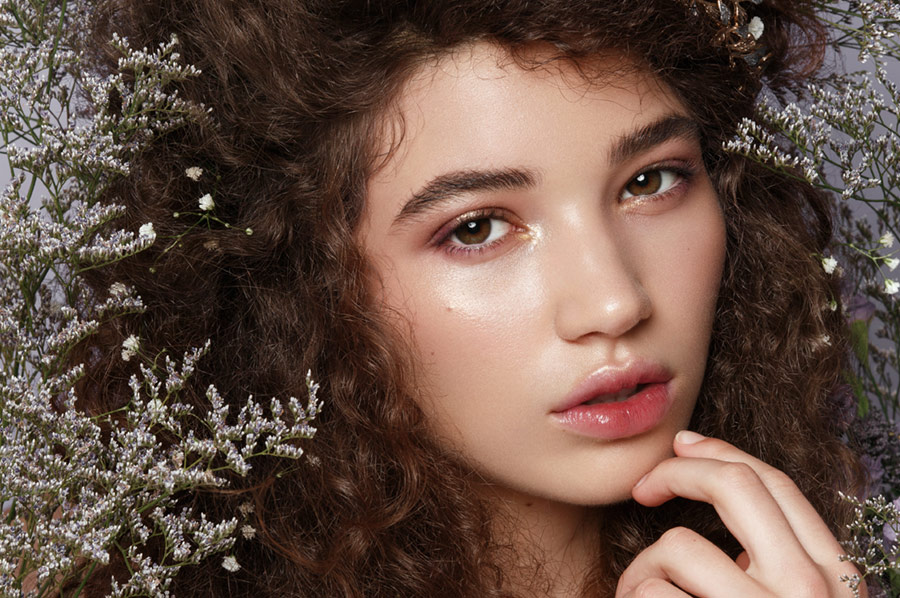
Gradient Maps are a versatile tool for color grading, especially when you want to change the color temperature of the skin. This video tutorial by Prince Meyson demonstrates how...

Read more

  • Facebook
  • Twitter
  • Email
retouching with the ipad pro and astropad studio
Read More
20 Feb
Hardware & Tools, Software for Retouching, Video Tutorial

Review: Using the iPad Pro for Professional Retouching

  • January 13, 2019
  • Posted by Kendra Paige
  • adobe photoshop, graphics tablet, Wacom
  • Leave a comment
If you were to take Apple’s marketing at face value, you might think that the latest generation of the iPad Pro could be a true computer replacement. But can...

Read more

  • Facebook
  • Twitter
  • Email
hidden photoshop tricks to improve editing
Read More
13 Feb
Efficiency & Productivity, Software for Retouching, Video Tutorial

Hidden Photoshop Tricks to Improve Your Editing

  • January 13, 2019
  • Posted by Kendra Paige
  • adobe photoshop, photoshop tools, shortcuts
  • 2 comments
Photoshop is one of those applications with such a massive array of tools and settings that you can learn something new every day. This video tutorial by Brendan Williams...

Read more

  • Facebook
  • Twitter
  • Email
beginner mistakes in photoshop and how to fix them
Read More
08 Feb
Fundamentals, Real World Practices, Software for Retouching

The Top Beginner Mistakes in Photoshop and How to Fix Them

  • January 13, 2019
  • Posted by Kendra Paige
  • adobe photoshop, beauty retouching
  • Leave a comment
Learning Photoshop can be an intimidating endeavor for many beginning retouchers, as there are literally thousands of techniques that the software is capable of. The fact that many people...

Read more

  • Facebook
  • Twitter
  • Email
lightroom shortcuts for a faster workflow
Read More
07 Feb
Efficiency & Productivity, Software for Retouching, Video Tutorial

Lightroom Shortcuts to Speed Up Your Workflow

  • January 13, 2019
  • Posted by Kendra Paige
  • adobe lightroom, post-production
  • Leave a comment
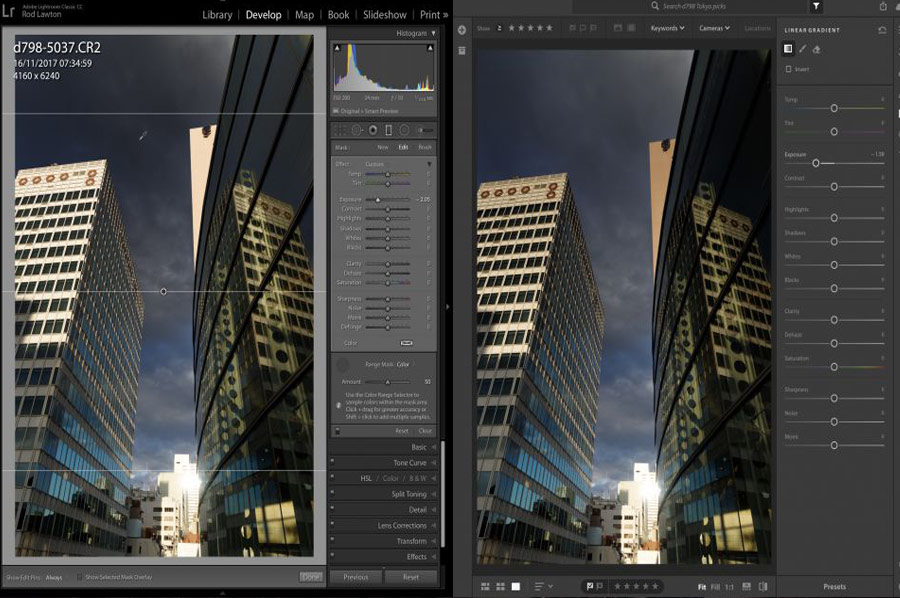
Adobe Lightroom is a robust application with many features under the hood for photographers and retouchers. Leveraging all of its capabilities requires an amount of familiarization, and this three-minute...

Read more

  • Facebook
  • Twitter
  • Email
Read More
05 Feb
Beauty Retouching, Software for Retouching, Video Tutorial

Working On Skin Tones In Capture One

  • January 4, 2019
  • Posted by Julia Kuzmenko McKim, RA Team
  • beauty retouching, capture one, video tutorial
  • Leave a comment
While I am still extremely attached to my own Beauty Retouching workflow in LR and PS, I like seeing how much Capture One has evolved over the years and...

Read more

  • Facebook
  • Twitter
  • Email
color grading with color balance in capture one pro by zoe noble
Read More
01 Feb
Software for Retouching, Video Tutorial, Working With Colors

How to Color Grade using the Color Balance Tool in Capture One Pro

  • January 13, 2019
  • Posted by Kendra Paige
  • capture one, color grading
  • Leave a comment
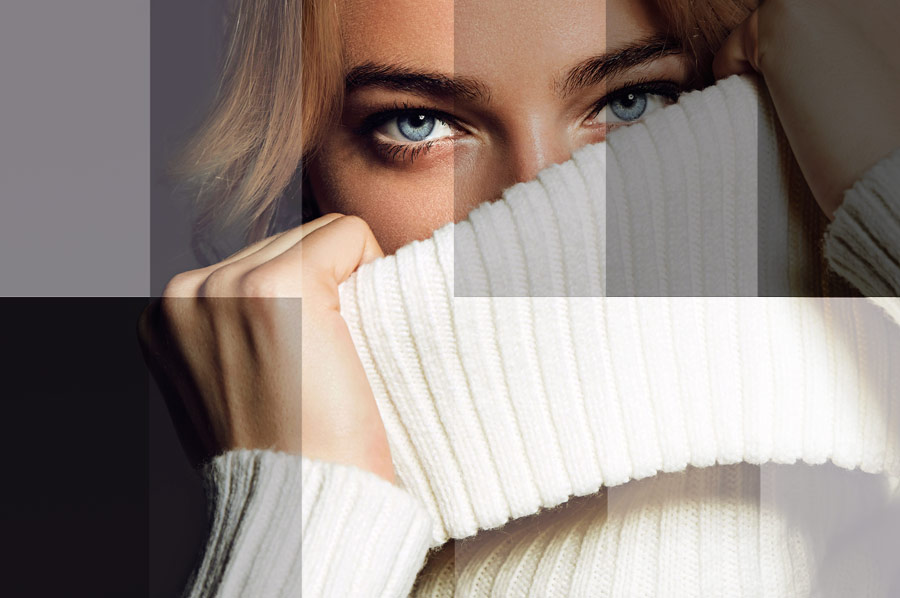
Color goes a long way in creating a strong first impression with viewers, making it an essential part of every image maker’s workflow. In this video tutorial by Zoë Noble,...

Read more

  • Facebook
  • Twitter
  • Email
select subject photoshop cc 2018 january update
Read More
31 Jan
Software for Retouching, Video Tutorial

One-Click Subject Selection Is Here and It Is Glorious

  • January 13, 2019
  • Posted by Kendra Paige
  • adobe photoshop, hair retouching, photoshop tools
  • Leave a comment
With the January 2018 update to Photoshop CC 2018, users gained one of the most anticipated features to date: Select Subject. Powered by Adobe Sensei, their enigmatic AI, the...

Read more

  • Facebook
  • Twitter
  • Email
mask out hair quickly in photoshop cc
Read More
24 Jan
Video Tutorial

How to Cut Out Hair Quickly in Photoshop

  • January 13, 2019
  • Posted by Kendra Paige
  • beauty retouching, composites, hair retouching
  • Leave a comment
Masking out hair is often one of the most challenging and time-consuming tasks that a retoucher can have. This incredibly handy tutorial by Nathaniel Dodson of tutvid demonstrates how...

Read more

  • Facebook
  • Twitter
  • Email
Read More
23 Jan
Industry & Community News, Software for Retouching

Review of Lightroom Classic Versus Lightroom CC

  • January 5, 2019
  • Posted by Julia McKim
  • adobe, adobe lightroom
  • Leave a comment
If you have been a loyal Adobe Lightroom user, you probably already know that Adobe discontinued perpetually licensed Lightroom 6 in 2017, and most likely support for it will...

Read more

  • Facebook
  • Twitter
  • Email
Read More
18 Jan
Fundamentals, Software for Retouching, Video Tutorial

Understanding Blending Modes in Photoshop

  • March 1, 2019
  • Posted by Kendra Paige
  • blending modes, fundamentals, photoshop
  • 2 comments
Whether you are color grading, manipulating tones, or creating a composite, understanding blending modes will help you achieve the desired result. This crash course by Jesús Ramirez of the...

Read more

  • Facebook
  • Twitter
  • Email
Read More
16 Jan
Commercial Retouching, Industry & Community News

No, CVS is Not Banning Retouched Images

  • January 5, 2019
  • Posted by Julia Kuzmenko McKim, RA Team
  • beauty retouching, commercial retouching, retouching ban
  • 6 comments
Yesterday, a myriad of news websites proclaimed that CVS, one of the largest drugstores in the U.S., had announced a ban on photo manipulation in makeup marketing created for...

Read more

  • Facebook
  • Twitter
  • Email
tricks for speeding up your photoshop workflow
Read More
16 Jan
Efficiency & Productivity, Video Tutorial

Four Tricks to Speed Up Your Workflow in Photoshop

  • March 25, 2024
  • Posted by Kendra Paige
  • efficiency & productivity, retouching education
  • 1 comment
There are many methods for increasing your productivity while working in Adobe Photoshop, but they're not always obvious. This useful tutorial by Kevin Roodhorst demonstrates four ways for taking...

Read more

  • Facebook
  • Twitter
  • Email
reasons why you are not getting retouching jobs
Read More
11 Jan
Business & Clients, Successful Retouching Business

Six Reasons Why You Might Not Be Getting Retouching Jobs

  • January 13, 2019
  • Posted by Kendra Paige
  • retouching business, retouching education, working with clients
  • Leave a comment
Being a freelance retoucher in the beauty, fashion, and commercial industries can be incredibly competitive. Gaining loyal, repeat clients should be the top priority of every retoucher. In the beginning,...

Read more

  • Facebook
  • Twitter
  • Email
Read More
09 Jan
Fundamentals, Software for Retouching

DNG File Format – Pros and Cons

  • January 5, 2019
  • Posted by Julia McKim
  • DNG, raw format
  • Leave a comment
DNG Format is an Adobe product for formatting images so users can share them across different Adobe software platforms. The acronym is an abbreviation for Digital NeGative. DNG is...

Read more

  • Facebook
  • Twitter
  • Email
Read More
09 Jan
Efficiency & Productivity, Real World Practices

Six Retouching Issues to Prevent Before The Capture

  • January 13, 2019
  • Posted by Kendra Paige
  • beauty retouching, commercial retouching, skin retouching
The old adage of “time is money” could not be truer for retouchers, as our detail-oriented work demands hours of our time. For photographers that retouch their own work, the...

Read more

  • Facebook
  • Twitter
  • Email
Read More
02 Jan
Industry & Community News, Software for Retouching

Darktable Now Available in Windows Too

  • January 22, 2025
  • Posted by Julia McKim
  • darktable, lightroom, raw format
  • 2 comments
Beginner photographers and retouchers who are looking for free alternatives to Adobe subscription software until their hobby turns into a freelance business, may be delighted to know that Darktable,...

Read more

  • Facebook
  • Twitter
  • Email
Read More
01 Jan
Software for Retouching, Video Tutorial

Getting Started with Essential Adjustments in Capture One 11

  • January 13, 2019
  • Posted by Kendra Paige
  • capture one, raw format
  • Leave a comment
For those interested in switching to Capture One 11 as their primary RAW image editor, this quick introductory video is a great place to start your transition. In this tutorial,...

Read more

  • Facebook
  • Twitter
  • Email
«‹678910›»
Close
Retouching Academy
★★★★★ 4.9 / 5 52,000+ students & panel users worldwide

For photographers and retouchers interested in commercial work and getting hired by beauty, wellness and lifestyle brands. We teach retouching and visual production standards that commercial clients expect today.

// RA Newsletter

The Industry Is Moving. We Track What’s Changing, So You Don’t Have To.

Practical resources for working photographers and retouchers:

  • Commercial Work & Clients: how brands and businesses hire creative professionals today, and how to get hired.
  • Retouching Skills: post-production workflow, retouching tools and techniques, and visual standards that commercial clients expect today.
  • Industry & AI News: the tools and shifts worth your attention. Put AI to work on your day-to-day chores, so you can do more of what you love.

Free, straight to your inbox:

No spam. Unsubscribe any time.

// New · Beauty Retouch v5

The Legendary Beauty Retouch Panel, Now AI-Augmented

Beauty Retouch is a Photoshop plugin for photographers and retouchers who want a faster retouching workflow, more consistent skin and tonal work, and a decluttered workspace.

Learn more →

Categories

Commercial Work & Clients→ Retouching Skills & Tools→ Industry & AI News→

Recent Posts

  • How to Avoid Excessive Revisions in RetouchingDec 4, 2025
  • Important Update: Legacy RA Panels and the New UXP UpgradeOct 24, 2025
  • Skin Work & Frequency Separation Section on the latest Beauty Retouch PanelOct 3, 2025
  • AI in Vogue: The PushbackSep 8, 2025

Our Products

  • All-in-One Beauty Retouch $287$569 Beginner to Advanced · 21+ hours · Lifetime · Practice files · Custom Actions & Brushes
  • Professional Skin Retouching $169 Intermediate to Advanced · 7+ hours · Lifetime · Practice files · Custom Actions & Brushes
  • Beauty Retouch v5 Panel $89 Photoshop plugin for photographers and retouchers who want a faster retouching workflow, improved consistency of skin and tonal work, and a decluttered workspace.
  • Beauty Retouching for Beginners $127 Beginner · 4+ hours · Lifetime · Practice files · Custom Actions & Brushes
©2026 QUEENSCLIFF GLOBAL LLC. ALL RIGHTS RESERVED.
  • Facebook
  • Twitter
  • Email
Retouching Academy
★★★★★ 4.9 / 5
52,000+ students worldwide

For photographers and retouchers interested in commercial work and getting hired by beauty, wellness and lifestyle brands. We teach retouching and visual production standards that commercial clients expect today.

retouchingacademy.com
// RA Retouching Panels:
retouchingacademylab.com
// quick links
Retouching Courses
Retouching Panels
Newsletter
Testimonials
Blog
Customer login
Affiliate Program
Contact Us
// our best-sellers
Beauty Retouch v5 PanelPhotoshop plugin for photographers and retouchers who want a faster retouching workflow, improved consistency of skin and tonal work, and a decluttered workspace.$89
All-in-One Beauty Retouch bundleBeginner to Advanced · Over 21 hours · Lifetime Access · Practice beauty files · Custom Actions & Brushes$569$287
Professional Skin RetouchingIntermediate to Advanced · Over 7 hours · Lifetime Access · Practice beauty files · Custom Actions & Brushes$169
Beauty Retouching for BeginnersNovice · Over 4 hours · Lifetime Access · Practice beauty files · Custom Actions & Brushes$127
// the ra newsletter
Written for photographers and retouchers interested in commercial work. Read by 24,700+ creative professionals worldwide.
    // no spam · unsubscribe anytime
    © 2026 Queenscliff Global LLC · All rights reserved
    Terms & Conditions
    ·
    Privacy Policy
    Scroll To Top Sidebar
    We use cookies to improve your experience on our website. By browsing this website, you agree to our use of cookies.
    Accept More info