Every experienced digital artist and retoucher knows how important your choice of brushes is for each specific purpose. With that in mind, on June 15, 2017, Adobe announced the release of a...
We all love our Adobe products, but recently I had the misfortune of being caught by the Adobe Creative Cloud cancellation ‟penalty.” Turns out, when you sign up for any...
Adobe Photoshop CC 2015 recently released their 5.0 update which brought us a revamp of the already useful tool formerly known as Refine Edge. Let’s look at what’s new...
One of the most powerful tools for retouchers in Adobe Photoshop is the ability to select and modify pixels, referred to as making selections. Located on the tool bar,...
History Panel
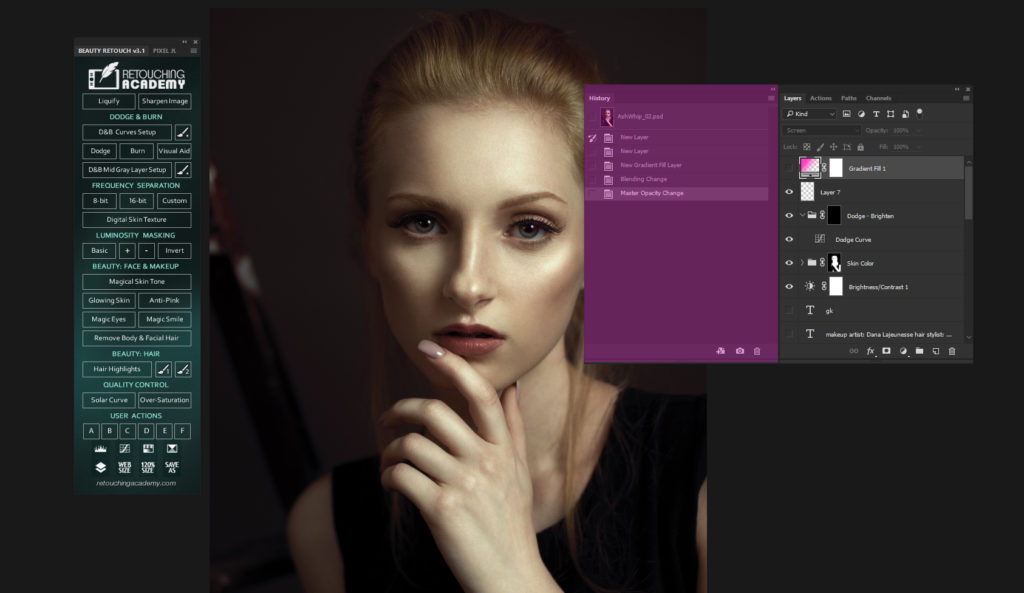
The History Panel is a tool which creates a chronological top-down view of everything you do in your working session in Photoshop. To access the History Panel, choose Window...
While I am very happy about the return of the Legacy Healing Algorithm for the Healing Brush tool and excited to play with the new features, I can't wrap my...
With the release of the latest version of the RA Panels we have been working on updating and adding new video tutorials to our Retouching Academy Lab website.
The new...
Seattle-based guest writer Josh Fredman is with us today to share how he avoids banding when creating gradient-based background in his images.
---------------
In this tutorial, we’re going to look at how to create banding-free gradients...
This post is long overdue, but better late than never. I recently had the honor to spend a couple of hours speaking with the Adobe Photoshop Engineers and Product...
Happy Birthday, Photoshop!
We wouldn't be here if not for the existence of this wonderful software that gives us -retouchers, graphic designers, photographers and digital artists - wings to fly.
Check...
I have recently changed the way I work with brushes when Dodging & Burning and they made my D&B work more convenient and precise. I'd like to share why and...
A typical issue that photographers face when capturing digital images is limited dynamic range of DSLR cameras. We always have to choose between which detail we would like to...
We recently had a lengthy discussion in our Retouching Academy Community group regarding the importance and definition of image resolution. Even though it is pretty straight forward there is...
In this tutorial we will cover what Clipping Masks are and how to create them in Photoshop. We will also touch on some retouching scenarios when they can be...
In this video we will talk about the Pen Tool and how you can make and adjust precise and complex selections using this tool.
The Pen Tool is one of...
BRUSH OPACITY vs. FLOW
While most people starting out with Photoshop tend to utilize Opacity slider and leave Flow untouched, knowing the difference between the two will allow you to...
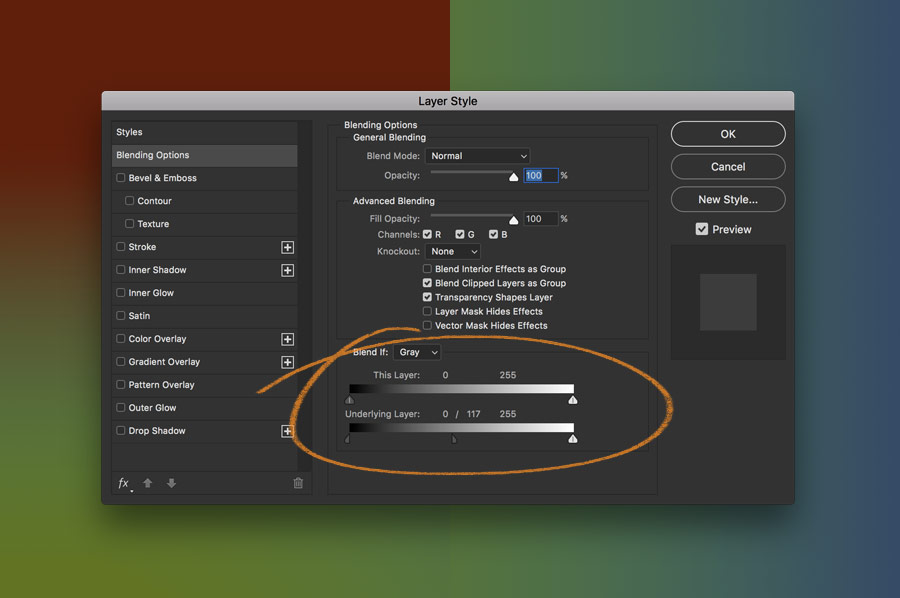
Learn how to work with this super useful and often overlooked function of Layers Blending Options - Blend If Sliders.
In this video I will show you how the Blend...
Quick mask is a Photoshop tool that can be used in a wide range of image editing situations. It will be quite handy for a retoucher working with Architectural...
Here are a few ways to enhance Photoshop performance:
Optimize your current hardware
Customize Performance Preferences in Photoshop
Tailor your Photoshop work habits (read more: History, Caches & Performance-Friendly Work...