
RETOUCHING COURSES & TOOLS
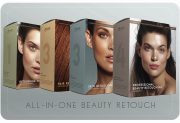
All-in-One Beauty Retouch
SAVE $86.00
This bundle combines four of our most impactful in-depth courses – distilled theory and hands-on practice – to help you master beauty retouching at a professional level.
Who is this bundle for? Photographers, retouchers, and anyone with basic Photoshop skills who wants to learn beauty retouching at a professional level, and produce high-quality work that stands out (read full description below).
Each course is packed with detailed, actionable lessons, and guaranteed to provide you with a wealth of proven methods and pro tips. With this solid foundation in retouching, you will be able to adopt new technologies faster, integrate advanced retouching tools into your workflow, and maximize efficiency to stay ahead of your competition.
🎁 Bonus: Downloadable custom actions, brushes, and practice beauty images are included.
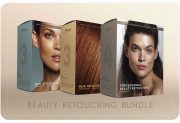
Beauty Retouch Bundle
SAVE $49
This bundle combines our 3 in-depth courses, offering theory and hands-on practice to help you master beauty retouching with pro-level understanding and methods.
Who is this bundle for? Photographers, retouchers, and anyone with basic Photoshop and retouching skills interested in mastering beauty retouching at a professional level (read full description below).
Each course is packed with detailed, actionable lessons, and guaranteed to provide you with a wealth of proven methods and pro tips. With this solid foundation in retouching, you will be able to adopt new technologies faster, integrate advanced retouching tools into your workflow, and maximize efficiency to stay ahead of your competition.
🎁 Bonus: Downloadable custom actions, brushes, and practice beauty images are included.
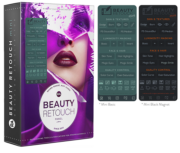
Beauty Retouch Mini
The Beauty Retouch Panel, Mini version is a Photoshop plugin developed by seasoned Beauty industry professionals to help simplify and speed up your retouching. It will take care of the tedious, repetitive parts of your retouching workflow, and allow you to focus on the creative work, so you can deliver high-quality results faster.
The Mini version provides you with all the essential scripts for beauty retouching at a more affordable price.
🎯 Most importantly, it will minimize your turnaround time and save you countless hours of retouching in the long run.
Our detailed Beauty Retouch Panel Training will guide you through each step of the retouching workflow to proper finish and export of your edited photos.
🧑💻 Comes with a 30-day money-back guarantee because we know you will love it!
Compatible with Adobe® Photoshop® CC2021 (v22.0) and later for Win & Mac OS, including M-chip Apple computers.
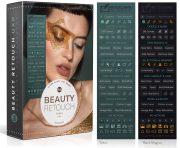
Beauty Retouch v5 Panel
The Beauty Retouch Panel is a Photoshop plugin built for photographers and retouchers who want to deliver professional, high-quality results faster.
Even if your retouching begins in a RAW processor or on an AI-based platform, most beauty and portrait photos will still require detailed finishing work in Photoshop. For that, the Beauty Retouch panel is your most reliable assistant, helping you to deliver professional-level results with greater speed and consistency.
The new Beauty Retouch v5 features AI-powered tools to speed up your workflow without sacrificing quality.
Comes with a 30-day money-back guarantee because we know you will ♥️ it!
Beauty Retouch v5 Panel (released May 2025) is compatible with Photoshop® 2021 (v22.0) or later, Win & Mac OS, incl. M-chip Apple computers. Important! The AI-powered features require Photoshop® 2024 (v25.3) or later
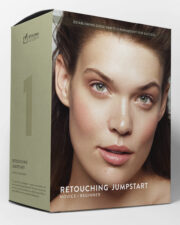
Beauty Retouching for Beginners
This is a detailed crash course with hands-on self-paced assignments for beginners who want to learn retouching in Photoshop for professional portrait, beauty, and fashion photography.
The team behind this course brings together decades of combined experience in professional photography and retouching. With backgrounds in commercial and editorial beauty and fashion photography, we’ve worked with hundreds of clients, hired and trained dozens of retouching assistants, and developed a deep understanding of what beginner retouchers need to accelerate their skill development.
We’ve distilled the most impactful information—cutting out the fluff—so you can learn and apply your new retouching skills as efficiently as possible.
Our courses are packed with detailed, actionable lessons, and guaranteed to provide you with a wealth of proven methods and pro tips. With this solid foundation in retouching, you will be able to adopt new technologies faster, integrate advanced retouching tools into your workflow, and maximize efficiency to stay ahead of your competition.
🎁 Bonus: Downloadable custom actions, brushes, and practice images are included.
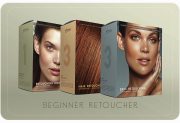
Beginner Retoucher Bundle
SAVE $75
This bundle combines our three in-depth, practical courses to take you from a complete beginner to a capable beauty retoucher with professional tools and practices under your belt.
Who is this bundle for? Anyone with basic Photoshop skills interested in mastering professional retouching for portrait, fashion, and beauty photography, or any other genre that involves images of people (read full description below).
With over 4-hour long Beauty Retouching for Beginners (Retouching JumpStart), 7+ hours of Skin Retouching, 3+ hours of Hair Retouching, you will build a solid retouching skill set.
Each course is packed with detailed, actionable lessons, and guaranteed to provide you with a wealth of proven methods and pro tips. With this solid foundation in retouching, you will be able to adopt new technologies faster, integrate advanced retouching tools into your workflow, and maximize efficiency to stay ahead of your competition.
🎁 Bonus: Downloadable custom actions, brushes, and practice beauty images are included.
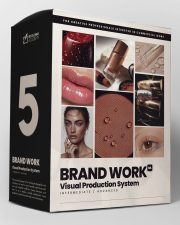
Brand Work Course
For professional photographers and retouchers who want ongoing work with brands and agencies.
Made for experienced photographers and retouchers with strong visual taste and post-production skills who want a repeatable way to run professional visual production for commercial clients.
Become a more capable, AI-fluent creative with a modern system built for what the market actually needs today: consistent, brand-aligned, high-quality visuals delivered month after month.
If project-by-project work has been slowing down, this is a pragmatic way to adapt your skills to where demand already exists today: ongoing visual production on a reliable schedule.
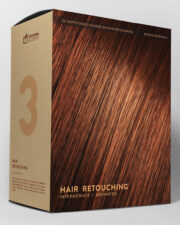
Hair Retouching Course
Even with an experienced hairstylist on set, the responsibility for flawless hair in the final images typically falls on the retoucher.
This in-depth course (3 1/2+ hours total) will provide you with a variety of tactics and methods to take the struggle out of hair retouching. You will learn to retouch hair quickly and always have the best approach for any challenging situations when dealing with hair in beauty, fashion, and portrait photography.
Who is this course for? Photographers, retouchers, and anyone with basic Photoshop skills interested in learning hair retouching at a professional level (read full description below).
Our courses are packed with detailed, actionable lessons, and guaranteed to provide you with a wealth of proven methods and pro tips. With this solid foundation in retouching, you will be able to adopt new technologies faster, integrate advanced retouching tools into your workflow, and maximize efficiency to stay ahead of your competition.
🎁 Bonus: Downloadable custom actions, brushes, and practice beauty images are included.
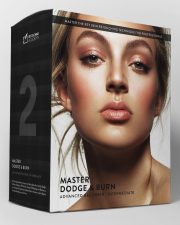
Master Dodge & Burn Technique
In this course, we take a deep dive into one of the most important techniques in professional retouching known as Dodging and Burning (D&B).
One of the most critical challenges in beauty and portrait retouching is achieving flawless, yet natural-looking skin.
Central to this process is the Dodge & Burn technique – the cornerstone of professional retouching. It is used in beauty and portrait retouching to perfect the appearance of the skin without compromising its natural texture, thus leading to the most realistic results that are required in professional retouching.
🔴 Regardless of which tools you use to Dodge & Burn, this course will give you a deep understanding of the underlying principles and every nuance of the D&B technique.
Who is this course for? Anyone with basic Photoshop skills, interested in learning professional beauty and portrait retouching (read full description below).
Our courses are packed with detailed, actionable lessons, and guaranteed to provide you with a wealth of proven methods and pro tips. With this solid foundation in retouching, you will be able to adopt new technologies faster, integrate advanced retouching tools into your workflow, and maximize efficiency to stay ahead of your competition.
🎁 Bonus: Downloadable custom actions, brushes, and practice images are included.
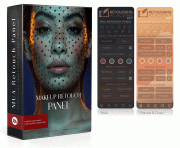
MUA Retouch Mini
The Makeup Retouch Mini Panel is a Photoshop plugin created by seasoned beauty industry professionals for high-quality beauty and makeup retouching. Each script is programmed to mimic the effects of real makeup, making their functionality easy to understand and use for all creators in beauty and fashion.
Our video tutorials will guide you through each step of the retouching workflow with the panel to the proper finish and export of your retouched images.
💻 New to Retouching? This panel comes with our FREE Photoshop Essentials for Beauty Retouching video course.
🧑💻 Comes with a 30-day money-back guarantee because we know you will love it.
Developed with expert insights by Julia Kuzmenko McKim and Jordan Liberty.
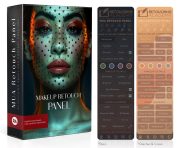
MUA Retouch Panel
While our Beauty Retouch panel focuses on the key stages of the professional retouching workflow, the MUA Retouch panel is created specifically for makeup and beauty retouching. It makes color-correcting skin and enhancing makeup quick and easy.
The MUA Retouch panel is a Photoshop plugin for high-quality beauty and makeup retouching and finishing. It is programmed to mimic the effects of real makeup and color correctors, making its functionality intuitively easy to use for creative professionals working in the Beauty & Wellness industry.
Our video tutorials will guide you through each phase of the retouching workflow with this panel.
Comes with a 30-day money-back guarantee because we know you will love it ♥️
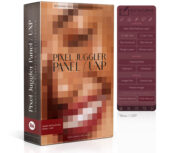
Pixel Juggler Panel
The Pixel Juggler UXP panel will assist you with quick access to the Photoshop© functions that need to be used quite often in retouching but are hidden in various submenus.
We also added a few custom scripts and tools that will complement our Beauty Retouch and MUA Retouch panels’ functionality for your retouching of beauty, fashion, and portrait images.
Developed for photographers & retouchers, and other creators – professionals as well as beginners – who work in Adobe Photoshop.
It is a wonderful addition to our Retouching Super Pack combo: Beauty & MUA Retouch Panels.
Compatible with Adobe® Photoshop® CC2021 (v22.0) and later for Win & Mac OS