Skip to content
Today’s Special

All-in-One Beauty Retouch bundle - master beauty retouching at a professional level.

Save $282→
Today’s Special

Beauty Retouch 6.0 | The best version is here!Try it today in Photoshop® v27.9+

Learn More→
Today’s Special

All-in-One Beauty Retouch bundle - master beauty retouching at a professional level.

Save $282→
Today’s Special

Beauty, Skin & Hair Retouching for Beginners in a bundle

Save $181→
Skip to content
Testimonials
Newsletter
Contact Us
Customer Login
Retouching Academy
Home
Learn ▼
Your Course Library
Code of Professional Practice
Shop ▼
Retouching Courses & Bundles
Retouching Panels
Practice Files: Beauty
Blog
Home
Learn
Your Course Library
Code of Professional Practice
Shop
Retouching Courses & Bundles
Retouching Panels
Practice Files: Beauty
Blog
Testimonials
Newsletter
Contact Us
Sign In
RA Courses → Student Login
RA Panels → User Login
RA Affiliate Login
RA Courses → Student Login
RA Panels → User Login
RA Affiliate Login

Sign in

close


Lost your password?
No account yet? Create an Account
  • Home
  • Store
    • Courses & Bundles
    • Retouching Panels
    • Practice Files
  • Newsletter
  • Contact Us
  • Blog
  • Customer Login
    • Affiliate Login

Shopping cart

close
  • Instagram
  • YouTube
THE COMMERCIAL SIDE OF PHOTOGRAPHY & RETOUCHING
  • Testimonials
    • Submit Yours
  • Customer Login
    • Affiliate Login
  • Newsletter
  • Contact Us
  • Home
  • LEARN
    • YOUR COURSE LIBRARY
    • Code of Professional Practice
  • Shop
    • Retouching Courses & Bundles
    • Retouching Panels
    • Practice Files – Beauty
  • Blog
Retouching Academy Retouching Academy
close
Cart (o) 0 / $0.00 USD
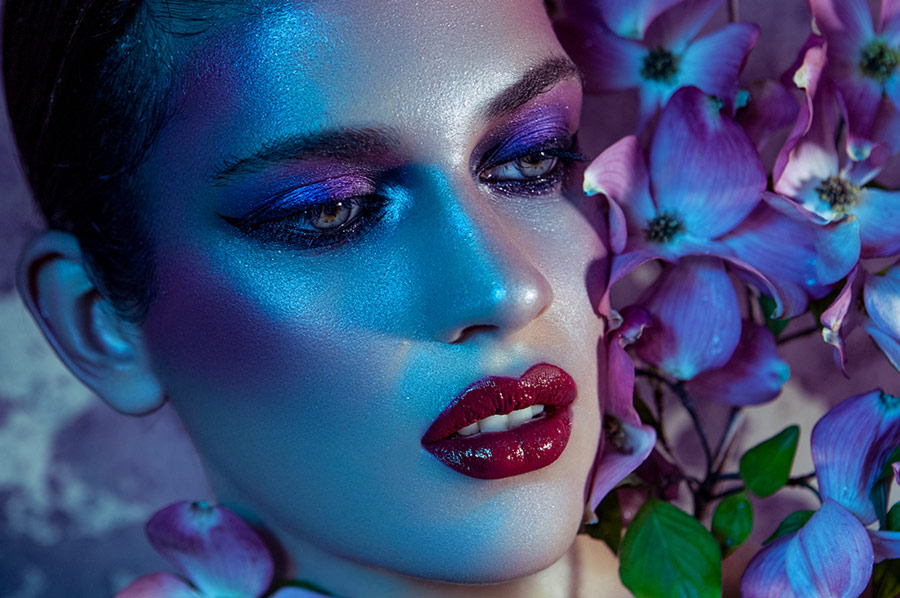
color grading with split toning in lightroom
Read More
05 Jul
Software for Retouching, Video Tutorial, Working With Colors

How to Use Split Toning to Color Grade Your Images in Lightroom

  • January 13, 2019
  • Posted by Kendra Paige
  • color grading, lightroom, split toning
  • Leave a comment
Color grading photographs is an essential part of retouching, as beautiful skin and hair can be undermined by a poor use of color. There is no shortage of methods...

Read more

  • Facebook
  • Twitter
  • Email
hidden tricks and hacks in lightroom for retouching workflow
Read More
30 May
Software for Retouching, Video Tutorial, Working With Colors

5 Hidden Tricks for Speeding up Your Workflow in Adobe Lightroom

  • January 13, 2019
  • Posted by Kendra Paige
  • adobe lightroom, digital image editing, lightroom tutorial
  • 1 comment
Adobe Lightroom is a robust application with hundreds of tools, making it very possible to discover entirely new techniques years into using it. Lightroom is not just a powerful...

Read more

  • Facebook
  • Twitter
  • Email
retouching natural light fashion with julia trotti
Read More
23 May
Software for Retouching, Video Tutorial, Working With Colors

How to Retouch Natural Light Photographs in Lightroom and Photoshop

  • January 13, 2019
  • Posted by Kendra Paige
  • portrait retouching, working with colors
  • Leave a comment
Photography captured outdoors with natural light is typically the starting point for many new photographers, and the approach to retouching those images is often entirely different from studio shots....

Read more

  • Facebook
  • Twitter
  • Email
color calibrate monitors and printers for retouching
Read More
16 May
Real World Practices, Video Tutorial, Working With Colors

How to Color Calibrate All of Your Devices for Accurate Color

  • January 13, 2019
  • Posted by Kendra Paige
  • color calibration, color management
  • Leave a comment
Color calibration is one of those topics that can be intimidating to beginner retouchers and photographers alike. This fantastic tutorial by our friends at Fstoppers makes calibration easy to...

Read more

  • Facebook
  • Twitter
  • Email
lighten or darken selective colors in photoshop
Read More
26 Apr
Software for Retouching, Video Tutorial, Working With Colors

How to Lighten or Darken Selective Colors in Photoshop

  • January 13, 2019
  • Posted by Kendra Paige
  • photoshop, photoshop tools, working with colors
  • 1 comment
There are endless techniques for color grading your images, but one aspect that can be tricky is manipulating the tonal range of those colors. If you prefer performing your...

Read more

  • Facebook
  • Twitter
  • Email
RA_Blog_Feat_
Read More
12 Apr
Real World Practices, Software for Retouching, Working With Colors

Adobe Profiles vs Capture One Color Curves

  • January 3, 2019
  • Posted by Gerry Kingsley
  • adobe camera raw, adobe lightroom, capture one
  • 12 comments
Adobe has recently released a substantial update to Camera RAW and Lightroom in the form of “Profiles.” These profiles determine how the software renders color during initial RAW conversion....

Read more

  • Facebook
  • Twitter
  • Email
deep learning color grading by nvidia
Read More
29 Mar
Industry & Community News, Working With Colors

How Deep Learning May Change How We Color Grade

  • January 3, 2019
  • Posted by Gerry Kingsley
  • color grading, deep learning, working with colors
  • Leave a comment
Have you ever wanted to recreate a look or color palette from a favorite photo? Or have you ever wondered what it was like to turn a day scene...

Read more

  • Facebook
  • Twitter
  • Email
using the color tool in adobe lightroom
Read More
07 Mar
Software for Retouching, Video Tutorial, Working With Colors

Manipulating Hues with the Color Tool in Lightroom

  • January 13, 2019
  • Posted by Kendra Paige
  • lightroom, software, working with colors
  • Leave a comment
RAW conversion applications like Adobe Lightroom are often the first place that color grading begins. One incredibly useful tool that tends to be forgotten about is the Color Tool. In...

Read more

  • Facebook
  • Twitter
  • Email
gradient maps and blend if sliders for skin tones
Read More
22 Feb
Beauty Retouching, Video Tutorial, Working With Colors

Enhancing Skin Tones with Gradient Maps in Photoshop

  • January 13, 2019
  • Posted by Kendra Paige
  • beauty retouching, blend if sliders, color grading
  • Leave a comment
Gradient Maps are a versatile tool for color grading, especially when you want to change the color temperature of the skin. This video tutorial by Prince Meyson demonstrates how...

Read more

  • Facebook
  • Twitter
  • Email
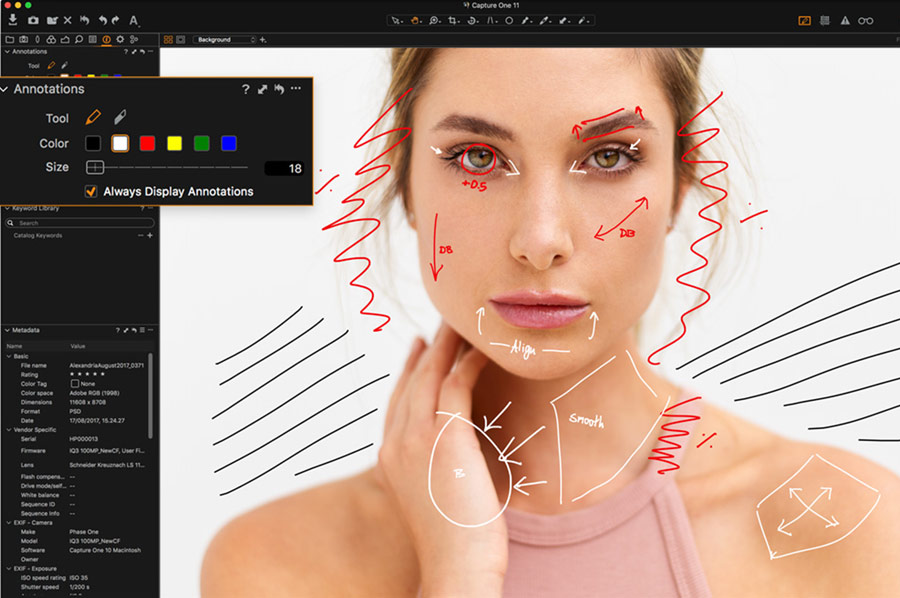
color grading with color balance in capture one pro by zoe noble
Read More
01 Feb
Software for Retouching, Video Tutorial, Working With Colors

How to Color Grade using the Color Balance Tool in Capture One Pro

  • January 13, 2019
  • Posted by Kendra Paige
  • capture one, color grading
  • Leave a comment
Color goes a long way in creating a strong first impression with viewers, making it an essential part of every image maker’s workflow. In this video tutorial by Zoë Noble,...

Read more

  • Facebook
  • Twitter
  • Email
Read More
26 Dec
Software for Retouching, Video Tutorial, Working With Colors

How to Tone Images With Adjustment Layers in Photoshop

  • January 13, 2019
  • Posted by Kendra Paige
  • color grading, working with colors
  • Leave a comment
There is no understating the importance of thoughtful color when it comes to post-production. Regardless of the genre of photography, color impacts the viewer’s perception of mood, texture, atmosphere,...

Read more

  • Facebook
  • Twitter
  • Email
Read More
11 Dec
Software for Retouching, Video Tutorial, Working With Colors

Color Grading with Color Lookup Tables in Photoshop

  • January 13, 2019
  • Posted by Kendra Paige
  • 3Dluts, color grading, color lookup
  • Leave a comment
A hidden gem within Photoshop is the Color Lookup Adjustment Layer, which utilizes LUTs for a different approach to color grading images. This lightning-fast tutorial by tutvid will give...

Read more

  • Facebook
  • Twitter
  • Email
Read More
04 Dec
Software for Retouching, Video Tutorial, Working With Colors

Phase One Releases Capture One 11 With New Features & Improved Performance

  • January 13, 2019
  • Posted by Kendra Paige
  • capture one 11, phase one, raw converter
  • Leave a comment
Phase One has recently launched Capture One 11 with an impressive host of new features for retouchers and photographers alike. Capture One has enjoyed increasing popularity among professionals for...

Read more

  • Facebook
  • Twitter
  • Email
Read More
29 Nov
Hardware & Tools, Working With Colors

Buyer’s Guide to the Best Monitors for Retouching

  • January 22, 2025
  • Posted by Kendra Paige
  • monitor for retouchers, photography display, retouching monitor
  • 1 comment
The end of the year is an opportune time to invest in your business or add a smart purchase to your holiday wish list. In a retoucher’s quest for quality,...

Read more

  • Facebook
  • Twitter
  • Email
Read More
13 Nov
Video Tutorial, Working With Colors

Using Gradient Maps to Color Grade Your Photographs

  • January 7, 2019
  • Posted by Kendra Paige
  • color grading, gradients, working with colors
  • Leave a comment
Color grading images is an essential aspect of post-production. Just as films are always color graded to instill a certain aesthetic or mood, the same is often true when...

Read more

  • Facebook
  • Twitter
  • Email
Read More
07 Nov
Real World Practices, Video Tutorial, Working With Colors

How to Quickly Add Color to a Gray Background in Photoshop

  • January 7, 2019
  • Posted by Kendra Paige
  • background, refining selections, working with colors
  • Leave a comment
A neutral gray backdrop is a staple of any studio setup, a versatile choice that can be easily adapted for various lighting situations. However, too much of a good...

Read more

  • Facebook
  • Twitter
  • Email
Read More
01 Oct
Real World Practices, Video Tutorial, Working With Colors

Color Grading with the Color Balance Tool in Photoshop

  • January 8, 2019
  • Posted by Kendra Paige
  • color grading, working with colors
  • Leave a comment
One of the most powerful means of impacting your audience is through the effective use of color. Setting the mood, creating an atmosphere, or even just using an aesthetically...

Read more

  • Facebook
  • Twitter
  • Email
using color calibration profiles in adobe lightroom
Read More
30 Aug
Software for Retouching, Video Tutorial, Working With Colors

How to Use Color Calibration Profiles in Lightroom

  • January 9, 2019
  • Posted by Kendra Paige
  • adobe lightroom, color calibration, color management in lightroom
  • Leave a comment
Effective use of color should be a top priority for all retouchers and photographers. While there are multiple ways to manage colors, one particularly underused yet simple feature is...

Read more

  • Facebook
  • Twitter
  • Email
Read More
28 Aug
Video Tutorial, Working With Colors

How to Quickly Change Your Background Color in Photoshop

  • January 9, 2019
  • Posted by Kendra Paige
  • adjustment layers, background, hue saturation
  • Leave a comment
There will often be times when retouchers are asked to change the background color of an image. Like many aspects of retouching, there are a myriad of ways to...

Read more

  • Facebook
  • Twitter
  • Email
Read More
23 Aug
Video Tutorial, Working With Colors

Color Grade Like A Professional

  • January 9, 2019
  • Posted by Daniel Meadows
  • color grading, video tutorial, working with colors
  • Leave a comment
Owing to the free and open nature of the internet there's a lot of content, and not all of it is good. There are countless retouching tutorials and many,...

Read more

  • Facebook
  • Twitter
  • Email
123
Close
Retouching Academy
★★★★★ 4.9 / 5 52,000+ students & panel users worldwide

For photographers and retouchers interested in commercial work and getting hired by beauty, wellness and lifestyle brands. We teach retouching and visual production standards that commercial clients expect today.

// RA Newsletter

The Industry Is Moving. We Track What’s Changing, So You Don’t Have To.

Practical resources for working photographers and retouchers:

  • Commercial Work & Clients: how brands and businesses hire creative professionals today, and how to get hired.
  • Retouching Skills: post-production workflow, retouching tools and techniques, and visual standards that commercial clients expect today.
  • Industry & AI News: the tools and shifts worth your attention. Put AI to work on your day-to-day chores, so you can do more of what you love.

Free, straight to your inbox:

No spam. Unsubscribe any time.

// New · Beauty Retouch 6.0

Beauty Retouch 6.0, the Best Version Yet!

Beauty Retouch is a Photoshop plugin for photographers and retouchers who want a faster retouching workflow, relevant for 2027, more consistent skin and tonal work, and a decluttered workspace.

Learn more →

Categories

Commercial Work & Clients→ Retouching Skills & Tools→ Industry & AI News→

Recent Posts

  • Amy Taylor and Jamie Nelson Settle Photo Lawsuit: What It Means for PhotographersNov 5, 2026
  • Retoucher of the Year 2026: Meet Our Sponsored RetouchersOct 16, 2026
  • 5 Copyright Facts Every Photographer and Retoucher Should Know in 2026Sep 30, 2026
  • Retouching Academy Is Sponsoring 10 Beauty Entries at Retoucher of the Year 2026Sep 24, 2026

Our Products

  • All-in-One Beauty Retouch $287$569 Beginner to Advanced · 21+ hours · Lifetime · Practice files · Custom Actions & Brushes
  • Professional Skin Retouching $169 Intermediate to Advanced · 7+ hours · Lifetime · Practice files · Custom Actions & Brushes
  • Beauty Retouch 6.0 Panel $89 Photoshop plugin for photographers and retouchers who want a faster retouching workflow, improved consistency of skin and tonal work, and a decluttered workspace.
  • Beauty Retouching for Beginners $127 Beginner · 4+ hours · Lifetime · Practice files · Custom Actions & Brushes
©2026 QUEENSCLIFF GLOBAL LLC. ALL RIGHTS RESERVED.
  • Facebook
  • Twitter
  • Email
Retouching Academy
★★★★★ 4.9 / 5
52,000+ students worldwide

For photographers and retouchers interested in commercial work and getting hired by beauty, wellness and lifestyle brands. We teach retouching and visual production standards that commercial clients expect today.

retouchingacademy.com
// RA Retouching Panels:
retouchingacademylab.com
// quick links
Retouching Courses
Retouching Panels
Newsletter
Testimonials
Blog
Customer login
Affiliate Program
Contact Us
// our best-sellers
Beauty Retouch 6.0 PanelPhotoshop plugin for photographers and retouchers who want a faster retouching workflow, improved consistency of skin and tonal work, and a decluttered workspace.$89
All-in-One Beauty Retouch bundleBeginner to Advanced · Over 21 hours · Lifetime Access · Practice beauty files · Custom Actions & Brushes$569$287
Professional Skin RetouchingIntermediate to Advanced · Over 7 hours · Lifetime Access · Practice beauty files · Custom Actions & Brushes$169
Beauty Retouching for BeginnersNovice · Over 4 hours · Lifetime Access · Practice beauty files · Custom Actions & Brushes$127
// the ra newsletter
Written for photographers and retouchers interested in commercial work. Read by 24,700+ creative professionals worldwide.
    // no spam · unsubscribe anytime
    © 2026 Queenscliff Global LLC · All rights reserved
    Terms & Conditions
    ·
    Privacy Policy
    Scroll To Top Sidebar
    We use cookies to improve your experience on our website. By browsing this website, you agree to our use of cookies.
    Accept More info